Free tool
App Store and Google Play preflight
One Python file that checks an iPhone or Android build for the problems that get apps rejected, before you submit. It runs on your own machine, uploads nothing and is free under the MIT licence.
Download and run it
You need Python 3.8 or later, which macOS and most Linux systems already have. Unzip, then point it at the build you're about to upload.
python3 preflight.py MyApp.ipa
python3 preflight.py MyApp.xcarchive
python3 preflight.py app-release.aab
python3 preflight.py path/to/project
python3 preflight.py --screenshots fastlane/screenshots \
                     --metadata fastlane/metadata
It exits with code 1 when it finds an error, so you can add it to CI before every upload. Run it on the exported .ipa or .aab where you can: that's what really ships, including everything SDKs add at build time.
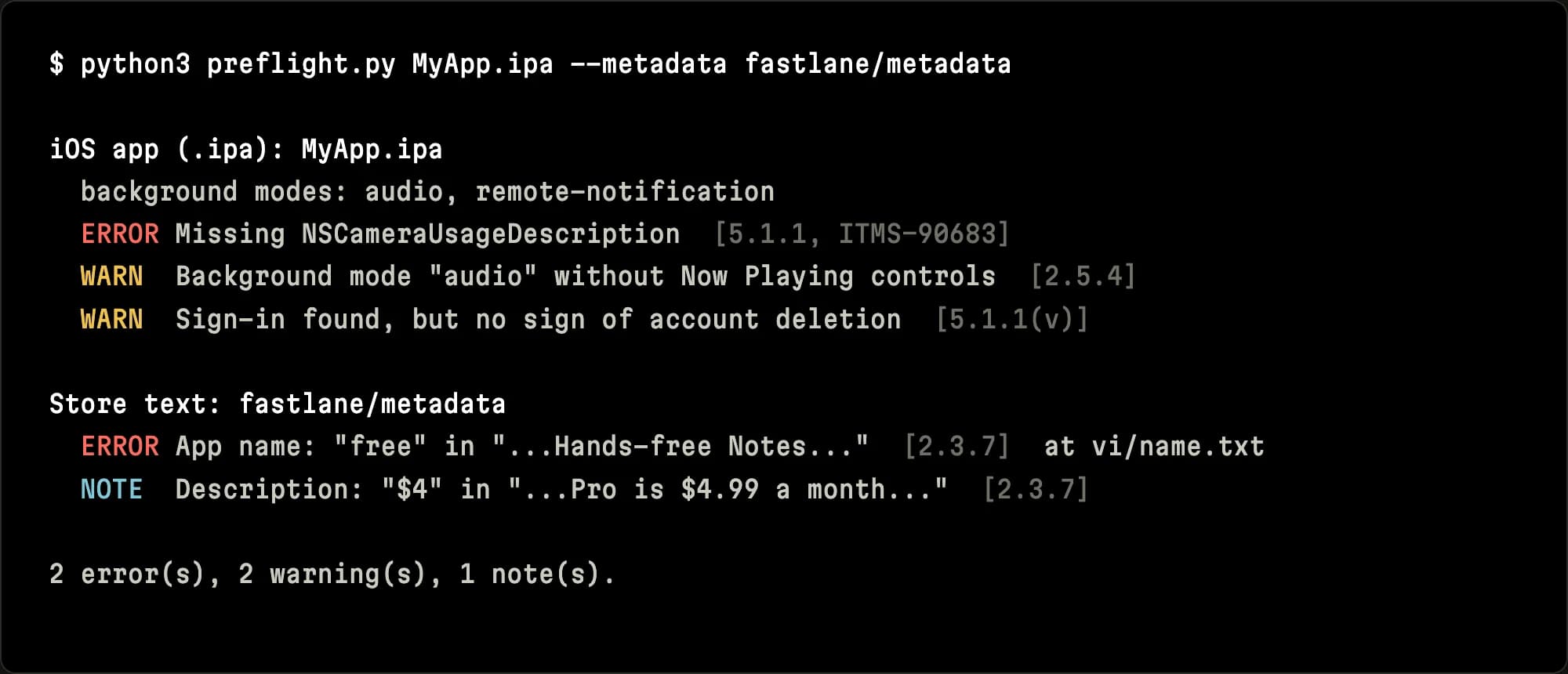
What it checks
Each check comes from a rejection or upload error we've dealt with in our own submissions. Every finding names the App Store guideline or Play policy it relates to.
- Background modesUIBackgroundModes entries with no code that uses them, and background audio with no Now Playing controls, a common cause of guideline 2.5.4 rejections.
- Purpose stringsCamera, microphone, photos, location, contacts, Bluetooth, tracking and more: the API is in your binary but the Info.plist string is missing, empty or too vague (5.1.1, ITMS-90683).
- Privacy manifestWhether PrivacyInfo.xcprivacy exists, NSPrivacyTracking is set, and required-reason APIs are declared somewhere in the build; SDKs that ship without a manifest (ITMS-91053, ITMS-91064).
- Accounts and purchasesSign-in with no sign of in-app account deletion, social login with no private alternative, no Restore option, and subscriptions with no Terms of Use link.
- Android buildsTarget API level, permissions that need a Play Console declaration, <queries> added by ad SDKs that affect Data safety, and debuggable release builds.
- ScreenshotsExact App Store sizes, alpha channels and counts; Google Play's size and ratio limits and the 1024 x 500 feature graphic.
- Store text"Free", "trial", "% off" and prices in names, subtitles, keywords and promotional text, in more than 20 languages, including inside hyphenated words.
What it can't do
It's a set of heuristics. It looks for API names in your binary or source, so it can miss things, and it can flag code that's linked but never used. Read each finding and decide.
It can't see what's in your screenshots or previews, your App Privacy answers, your Data safety form or your review notes. A clean run doesn't promise approval; it means you won't lose a review cycle to the problems it can see.
The guide behind the script
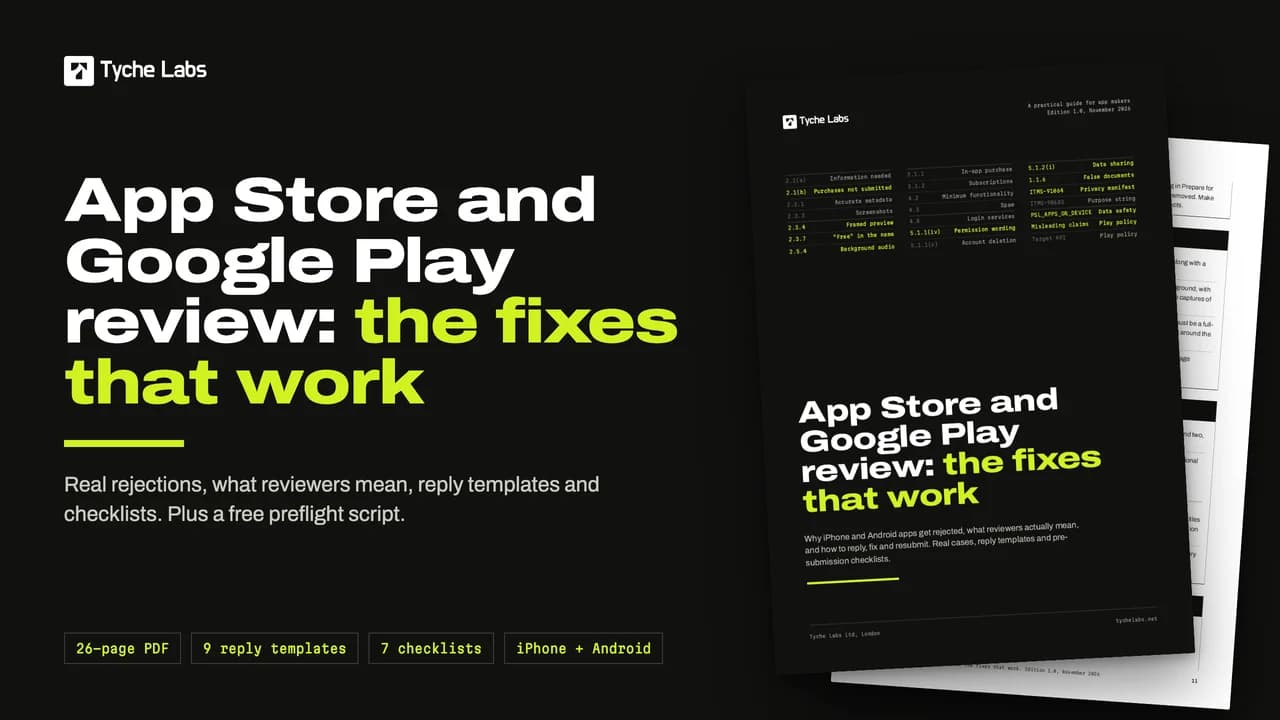
App Store and Google Play review: the fixes that work
Why iPhone and Android apps get rejected, what reviewers actually mean, and how to reply, fix and resubmit. Written from about a dozen real rejections in our own submissions on both stores, each with the fix that got the app approved.
- How review works on each store, and App Review notes that prevent "Information needed"
- How to read a rejection, and what to do in the first hour
- The common App Store rejections, guideline by guideline, with what reviewers mean
- Case files: in-app purchases "not submitted", framed previews, "free" in metadata, background audio, permission wording and more
- Google Play: Data safety and ad SDKs, misleading claims, metadata, permissions, target API
- Nine reply, appeal and expedite templates
- Seven pre-submission checklists, from metadata to apps for children
On sale shortly at $29. Want it the day it's out? Email us.
Already rejected?
Paste the message into the free decoder to see what Apple means. Or hand it to us: we diagnose it, fix it, write the reply and resubmit, for a fixed £450.
Questions we get asked
No. It's a single Python file that reads the files you point it at on your own machine. It makes no network requests at all, and you can read every line before you run it.
An .ipa, .xcarchive or .app; an Xcode project folder; an .aab or .apk; an Android project; or a Flutter or React Native project with ios and android folders. Add --screenshots and --metadata to check store images and text, for example fastlane's folders.
Not necessarily. It catches specific, common problems, but App Review also judges things a script can't see, such as what your screenshots show and whether the app works as described. Use it with a careful read of your listing and review notes.
Yes, under the MIT licence: use it, change it and put it in your CI. The paid guide explains each rule it checks, with real cases, reply templates and checklists, but you don't need the guide to use the script.
No. It's an independent tool from Tyche Labs, not affiliated with or endorsed by Apple or Google. Store names are used only to describe what it checks.
Rejected anyway?
Send us the message and a link to the app. We tell you whether our £450 rejection fix covers it before you pay anything.
or call 020 7078 5151. We reply within one working day.