Cuefold, the teleprompter camera by Tyche Labs
Flub a line, say it again: the retakes cut themselves
Clean Cut listens to your take, matches it to your script and keeps your last good read of every line. No timeline, no scrubbing for the good bits.


Free on iPhone and iPad. Free exports carry a small Cuefold watermark.
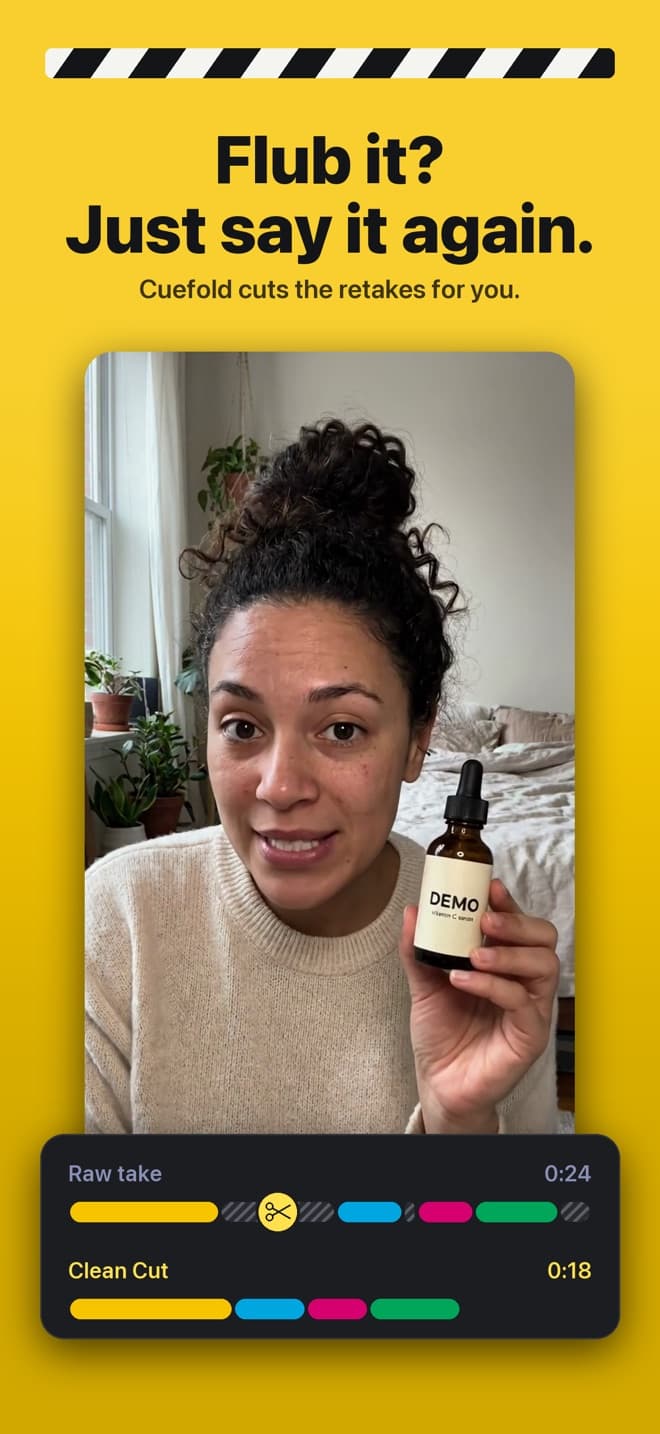
Editing a talking-head video is mostly hunting for mistakes. You scrub through the take, find where you stumbled, find where you started again, cut, and repeat for every line. Cuefold knows your script, so it can do that hunting for you.
How Clean Cut works
- You read the whole script in one take. When you trip over a line, you just start that line again. No stopping, no tapping, no clapper.
- Cuefold listens on the device. Speech recognition runs on your iPhone or iPad and matches every word you say to your script, so it knows which line you're on and when you went back to the start of one.
- It splits the take into reads. Every attempt at a line becomes a read. A restart ends the previous attempt.
- It keeps the last good read. For every line, Clean Cut keeps the last complete read. If none is complete, it keeps the best partial one and marks the line "Check this line" so you can look.
- It joins them cleanly. Cuts land between words, long silences are shortened, and short audio crossfades stop clicks at the joins. A gentle zoom on alternate cuts hides the jump; you can turn it off.
You stay the editor
The cut plays as one video with your script underneath. Swipe any line left or right to hear your other reads of it and use a different one, instantly. When it looks right, tap Make Clean Cut and save it to Photos.
Already filmed it?
Import a video from Photos into a script and Clean Cut works on it the same way, as long as you read from that script. Cuefold transcribes the file on the device when you open it.
What it's good at, and what it isn't
Clean Cut is made for scripted speech: talking-head videos, explainers, lessons, product demos, sponsor reads and pitches. It needs a script to compare against, so it won't edit an unscripted conversation. Ad-libs that aren't in the script don't count as a read of any line.
Private by design
Your voice is never uploaded. The listening, the matching and the cutting all happen on your iPhone or iPad.
Cuefold is free to download. Recording, the prompter with Voice Follow and Clean Cut are free; free exports carry a small Cuefold watermark. Cuefold Pro removes it and adds captions, 4K, unlimited scripts and the script writer.
Common questions
- How does Cuefold know which take to keep?
- It matches your speech to your script word by word. When you start a line again, the earlier attempt ends there. For each line it keeps your last complete read, and marks a line for you to check when no read is complete.
- Can I choose a different take?
- Yes. Swipe any line in the Clean Cut to hear your other reads of it and pick one.
- Does it work on a video I've already recorded?
- Yes, if you read from a script. Import the video from Photos into that script and Cuefold makes the Clean Cut from it.
- Is my audio sent to a server?
- No. Speech recognition and the cutting run on your iPhone or iPad. Your voice and video stay on the device.
- Is Clean Cut free?
- Yes. Clean Cut is free, and free exports carry a small Cuefold watermark. Cuefold Pro removes the watermark.