Cuefold, the teleprompter camera by Tyche Labs
A teleprompter for YouTube videos, with the retakes already cut
Record talking-head videos, tutorials and Shorts from a script, in one take. Cuefold keeps your best read of every line and hands you a finished video.


Free on iPhone and iPad. Free exports carry a small Cuefold watermark.
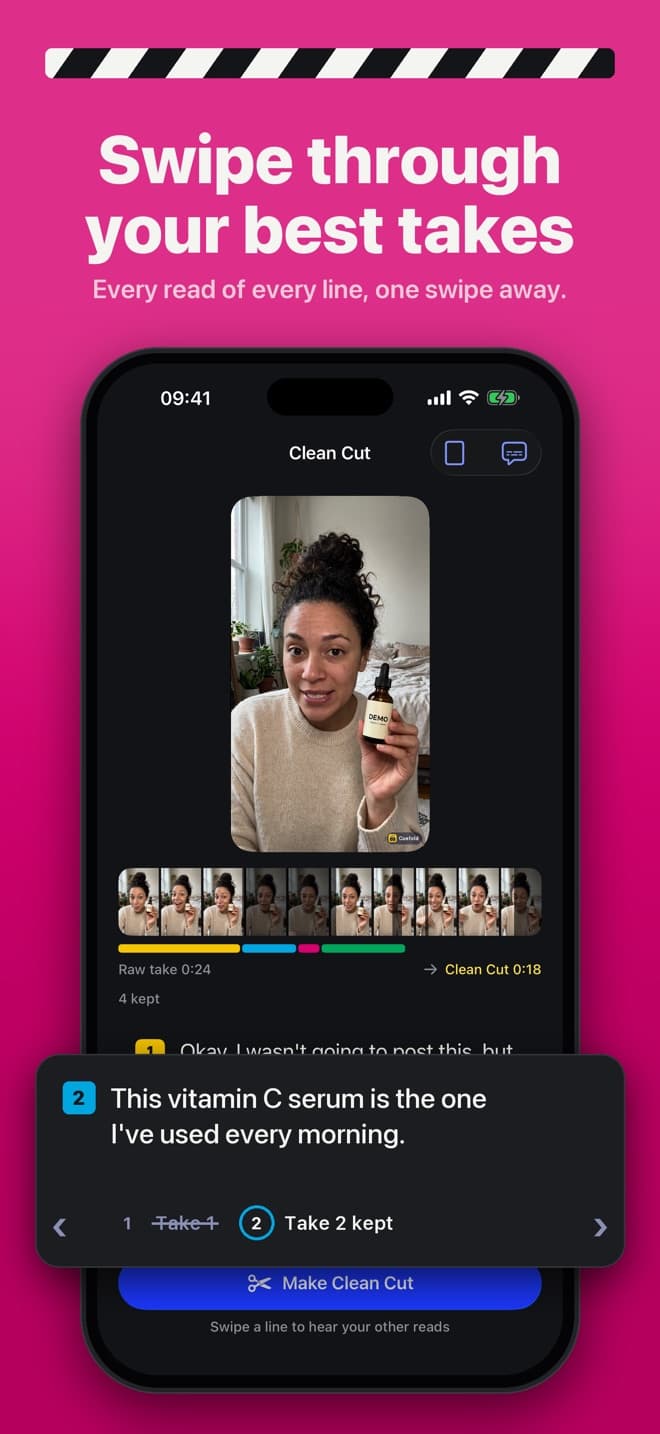
A scripted YouTube video usually means a teleprompter for the recording and an editor for everything after: finding the good takes, cutting the stumbles, trimming the pauses. Cuefold does the second half for you, on your iPhone or iPad.
From script to upload
- Script it. Write the video in Cuefold, paste it, or import a text, Markdown, RTF or PDF file. Every sentence becomes a line, and the app shows how long the script will run at your pace.
- Pick the shape. Widescreen 16:9 for a regular video, vertical 9:16 for Shorts. Takes keep the full camera frame, so you can export the same take both ways.
- Record in one go. Read to the lens with the script right beside it. When a line comes out wrong, say it again without stopping.
- Make Clean Cut. Cuefold matches your speech to the script, keeps your last good read of every line, shortens long silences and smooths every join. A gentle zoom on alternate cuts hides the jumps between reads; you can turn it off.
- Pick your reads. Swipe any line to hear your other takes and choose a different one. Lines Cuefold isn't sure about are marked "Check this line".
- Export. Save to Photos and upload as usual. With Cuefold Pro, add captions spelled exactly like your script and share an .srt file for YouTube's subtitles.
Why captions from your script matter
Automatic captions guess at names, product terms and jargon. Cuefold's captions take the timing from what you said and the spelling from what you wrote, so your channel name and your guest's surname come out right. Captions are part of Cuefold Pro, and you can try them on any take first.
Good fits
- Talking-head videos, explainers and commentary
- Tutorials and course lessons recorded in sections
- Shorts filmed from a tight 30 to 60 second script
- Sponsor reads that have to be word-perfect
Widescreen without the guesswork
Turn your phone sideways for full-quality widescreen, or record vertical and export square or widescreen later. Cuefold Pro records and exports in 4K; free videos are 1080p.
Cuefold is free to download. Recording, the prompter with Voice Follow and Clean Cut are free; free exports carry a small Cuefold watermark. Cuefold Pro removes it and adds captions, 4K, unlimited scripts and the script writer.
Common questions
- Can Cuefold record horizontal video for YouTube?
- Yes. Choose widescreen 16:9 and turn your phone sideways for full quality. Vertical 9:16 for Shorts and square 1:1 are there too.
- Does Cuefold make subtitles for YouTube?
- With Cuefold Pro, yes. Captions use your script's spelling with the timing of your speech. You can burn them into the video or share them as an .srt file.
- Is there a watermark?
- Free exports carry a small Cuefold watermark in the corner. Cuefold Pro removes it.
- Do I still need an editing app?
- For a talking-head video, often not. Clean Cut removes the retakes and long pauses and joins the good reads. You can still export the result into any editor for B-roll and music.