Cuefold, the teleprompter camera by Tyche Labs
Read your script while your iPhone records you
Put the words where the camera is, let them follow your voice, and stop worrying about mistakes: say a line again and Cuefold keeps the good read.


Free on iPhone and iPad. Free exports carry a small Cuefold watermark.
The usual workarounds for reading while you film all show on camera. Notes on a laptop behind the phone pull your eyes away from the lens. A script taped next to the camera means glancing sideways. Memorising takes ages and still goes wrong on the last line. The fix is to put the script on the same screen the camera is recording from, right by the lens.
How to do it with Cuefold
- Write or paste your script. Each sentence becomes a line. You can also import a text, Markdown, RTF or PDF file.
- Choose the camera and the shape. The front camera, so you can see the script, in vertical, square or widescreen.
- Tap Record. After a short countdown the script appears at the top of the screen, beside the front camera, with the line you're on highlighted on a yellow bar.
- Read to the lens. Voice Follow moves the script as you speak and waits when you pause, so you never have to keep up with a scroll.
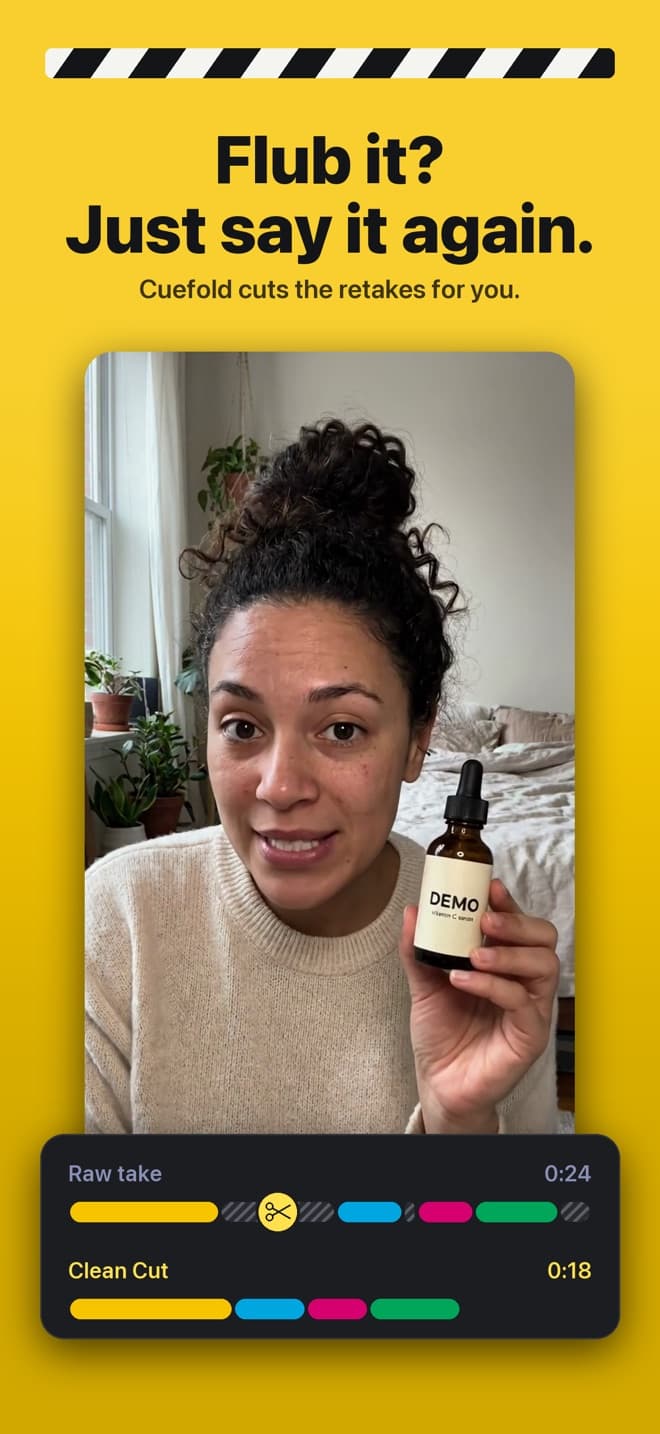
- Flub a line? Say it again. Don't stop recording. Cuefold hears the restart, eases the script back to that line and keeps going.
- Make Clean Cut. When you finish, Cuefold keeps your last good read of every line and joins them into one video. Swipe a line to swap in a different read, then save it to Photos.
Tips for reading naturally
- Keep the text small enough to sit near the lens. Three or four lines on screen is plenty; pinch to resize.
- Write the way you talk. Short sentences read better, and every sentence is its own retake point.
- Pause at the end of a line, not in the middle. Clean Cut cuts between lines, and it shortens long pauses for you.
- Don't fight a stumble. A clean restart of the whole line is easier to cut than a correction halfway through.
- Check your pace. Most people read to camera at around 130 to 160 words per minute. Our script length calculator turns a word count into a time.
Hands free
Start and stop with the volume buttons, Camera Control or a Bluetooth camera remote. With a Bluetooth page-turner or keyboard, Space pauses the prompter and the arrow keys move between lines.
Cuefold is free to download. Recording, the prompter with Voice Follow and Clean Cut are free; free exports carry a small Cuefold watermark. Cuefold Pro removes it and adds captions, 4K, unlimited scripts and the script writer.
Common questions
- Can I see the script and record at the same time on iPhone?
- Yes. Cuefold shows the script on the record screen, beside the front camera, while it films you. The text is not recorded into the video.
- What happens if I make a mistake while reading?
- Keep recording and say the line again. Cuefold keeps your last good read of every line and cuts the rest out when you make the Clean Cut.
- Do I have to keep up with the scroll?
- No. With Voice Follow on, the script moves with your voice and waits when you stop. You can also set a fixed speed in words per minute.
- Can I import a script I've already written?
- Yes. Paste it, or import a text, Markdown, RTF or PDF file. Scanned PDFs need real text, not just images.