Cuefold, the teleprompter camera by Tyche Labs
A teleprompter app for iPhone that also edits the video
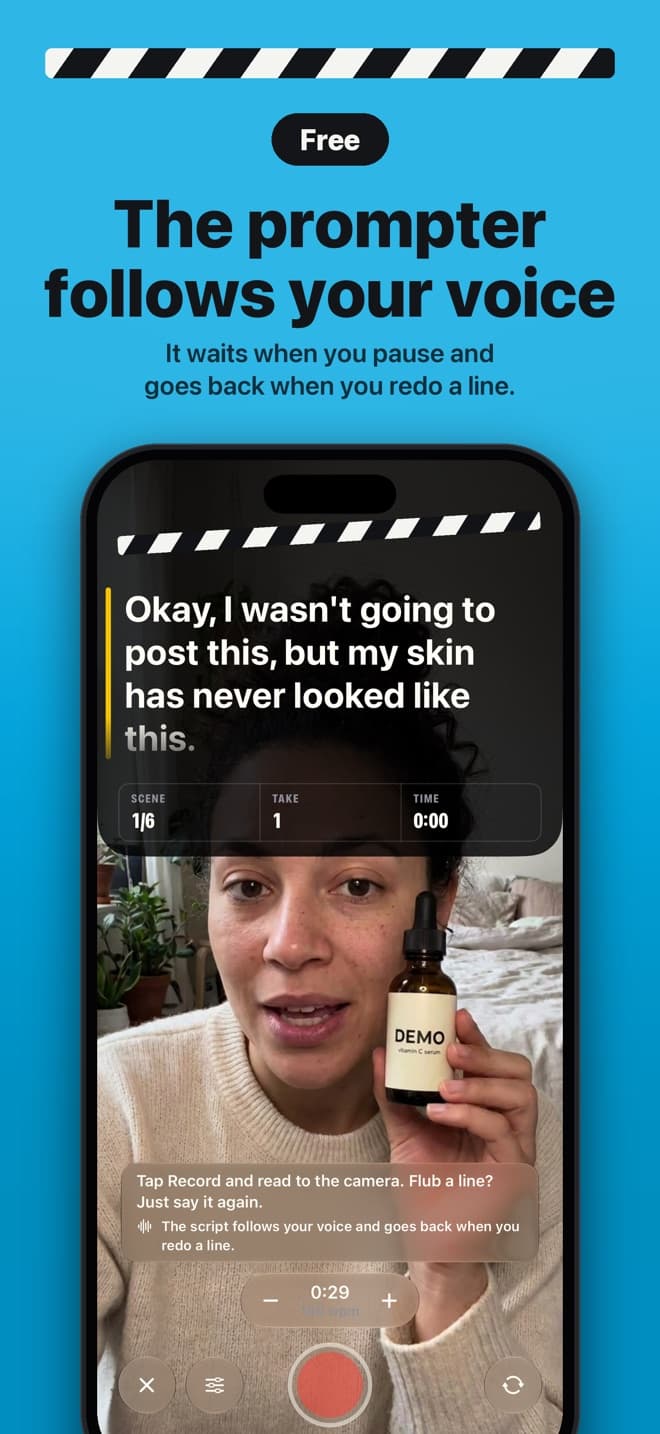
Your script sits at the top of the screen, right by the front camera, and scrolls as you speak. Flub a line, say it again, and Cuefold keeps the good read.


Free on iPhone and iPad. Free exports carry a small Cuefold watermark.
Most teleprompter apps do one job: they scroll text while the camera records. That gets you a take full of stumbles, restarts and long pauses, and an hour in an editing app afterwards. Cuefold is a teleprompter and a camera in one, and it does the editing too.
The prompter
- Beside the lens. The script sits at the top of the screen, a few lines at a time, right next to the front camera, so your eyes stay close to the lens while you read.
- It follows your voice. Voice Follow listens on the device and keeps the line you're saying on the yellow bar. It waits when you pause, and when you start a line again it eases back to it. Prefer a steady scroll? Turn Voice Follow off and set the reading speed in words per minute.
- You stay in control. Tap to pause, drag to scrub, pinch to change the text size. There's a countdown before recording, a choice of fonts, and mirrored text for glass teleprompter rigs.
- Hands free. The volume buttons, Camera Control or a Bluetooth camera remote start and stop a take. A Bluetooth page-turner or keyboard works too: Space pauses the prompter and the arrow keys move between lines.
The camera
Record with the front or rear camera, in vertical 9:16, square 1:1 or widescreen 16:9. Takes keep the full camera frame, so you can change the shape of any take later. Free recordings are 1080p; Cuefold Pro records in 4K.
The part other prompters leave to you
Read your whole script in one take. When you flub a line, don't stop and don't tap anything: just say the line again. Cuefold matches what you said to your script, word by word, and Clean Cut keeps your last good read of every line, tightens the long pauses and joins it all into one video. Swipe any line to hear your other reads and pick a different one. A line it isn't sure about is marked "Check this line", so nothing slips through.
Writing the script
Each sentence of your script becomes a line you can retake. Write it in the app, paste it, or import a text, Markdown, RTF or PDF file. With Cuefold Pro on a device with Apple Intelligence, the script writer drafts a script from a one-line idea, tightens it to 30, 45 or 60 seconds and gives it a stronger first line.
Privacy
There is no account. Speech recognition runs on your iPhone or iPad, and your scripts, voice and videos stay on it unless you share them. The only thing Cuefold sends is anonymous usage data, which you can turn off in Settings.
Cuefold is free to download. Recording, the prompter with Voice Follow and Clean Cut are free; free exports carry a small Cuefold watermark. Cuefold Pro removes it and adds captions, 4K, unlimited scripts and the script writer.
Common questions
- Is Cuefold a free teleprompter app?
- Yes. Recording, the prompter, Voice Follow and Clean Cut are free. Free exports carry a small Cuefold watermark, and the free version holds 3 scripts. Cuefold Pro, monthly or yearly, removes the watermark and adds captions, 4K and unlimited scripts.
- Does the script scroll by itself?
- Yes, in two ways. Voice Follow scrolls as you speak and eases back when you restart a line. Or turn it off and the script scrolls at the speed you set in words per minute.
- Can I use the rear camera?
- Yes. Switch between the front and rear cameras on the record screen. The prompter works with either.
- Does Cuefold work on iPad?
- Yes. Cuefold runs on iPhone and iPad with iOS 26 or later.
- Can I mirror the text for a glass teleprompter?
- Yes. Turn on mirrored text in the prompter settings for beam-splitter glass rigs.